

Use cases, step by step.
Each page shows one job from start to finish: a short film, what you need, and the exact steps to do it yourself.
Pick one
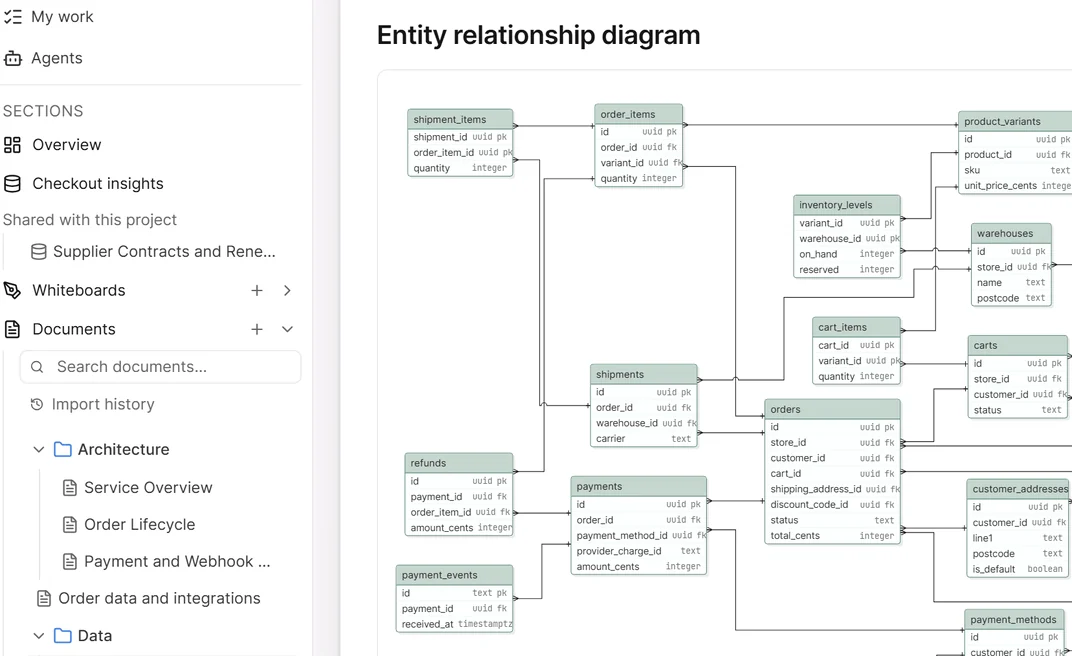
Document a repo
Your repo's documents and diagrams, written from the code and kept current as it changes.
Every plan
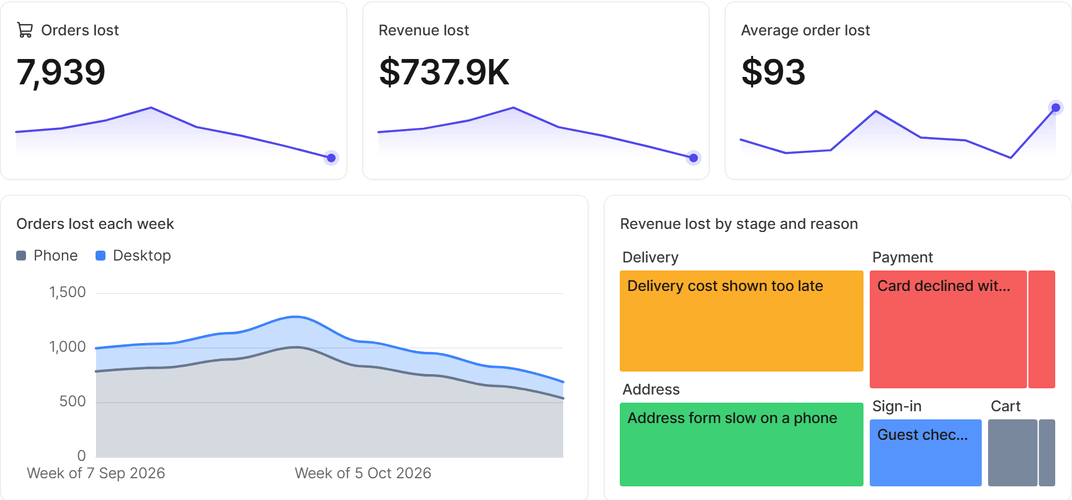
One memory for every AI tool
Claude Code writes the docs, ChatGPT adds research, numbers and a dashboard, and your team picks it up from there.
Every plan
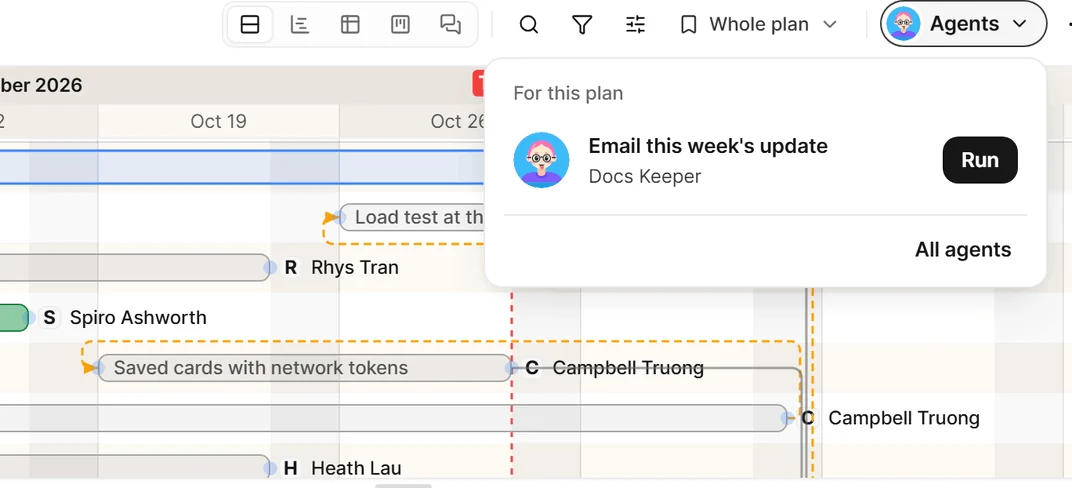
An agent behind a button
A button on your plan that makes an agent draft the week's update. Nothing goes out until you approve it.
Every plan
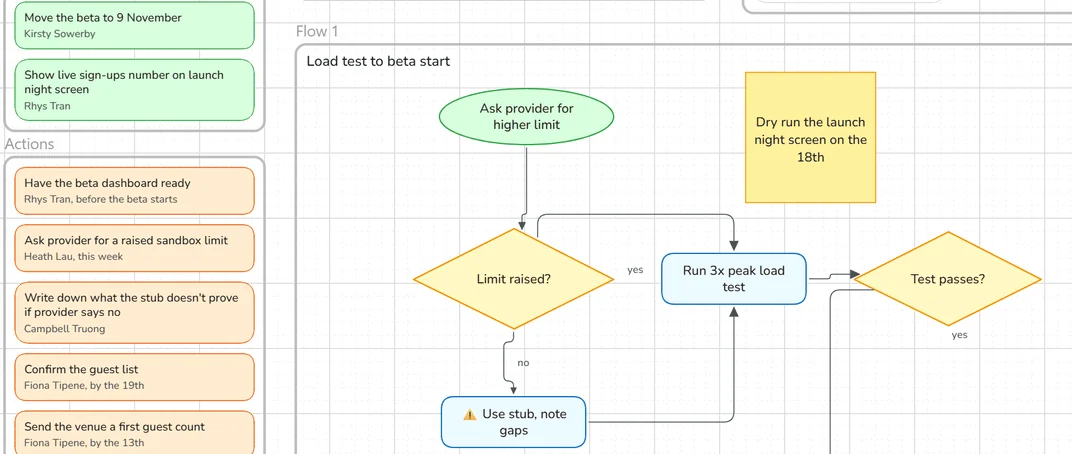
A meeting, drawn live
A bot joins your call and draws the agenda, the decisions and the actions on a whiteboard as people talk.
Plus and Pro
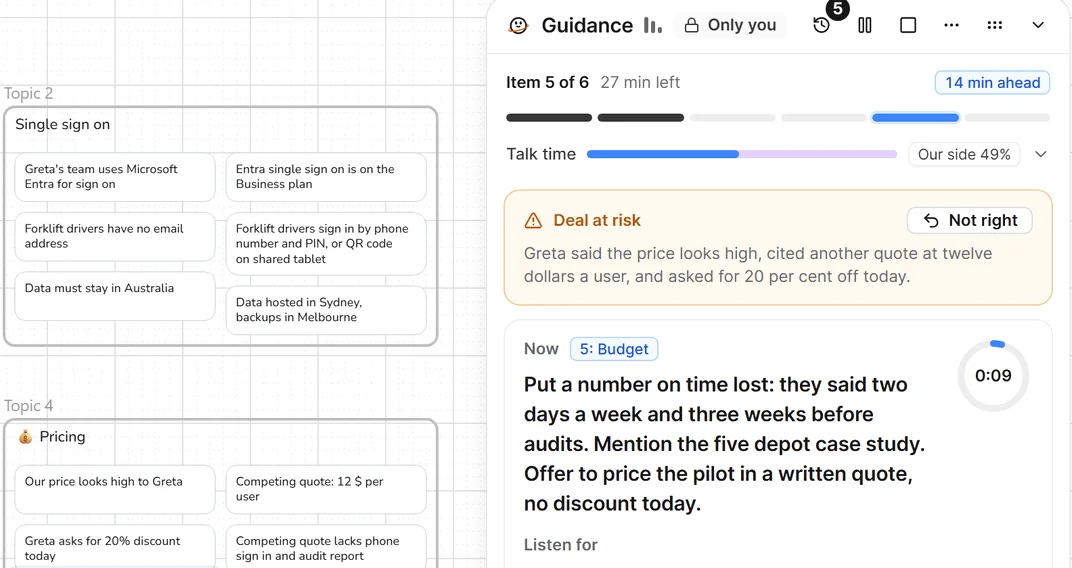
A guided sales call
A private box beside the call that keeps your seller on the agenda and answers from your own material.
Early access, on Pro
What each one needs
| Use case | Plans | You bring |
|---|---|---|
| Document a repo | Every plan. You connect your own AI tool. | Your AI coding tool, such as Claude Code |
| One memory for every AI tool | Every plan. You connect your own AI tools. | Two AI tools, such as Claude Code and ChatGPT |
| An agent behind a button | Every plan. Agents are on every plan: one on Free, three on Plus and five on Pro. | An agent with a duty, and a Microsoft 365 mailbox for the email |
| A meeting, drawn live | Plus and Pro. Credits are used while the bot is in the meeting. | A meeting link and a whiteboard |
| A guided sales call | Early access, on Pro. Contact us to turn it on. | Your sales material, written as documents |
About the films and pictures
Every film and picture here uses a sample company, Quillmere. Its people, documents and numbers are invented. Your own screens will show your own work.